
Roam Research extension
Full Calendar
Google Calendar and Tasks sync extension for Roam Research
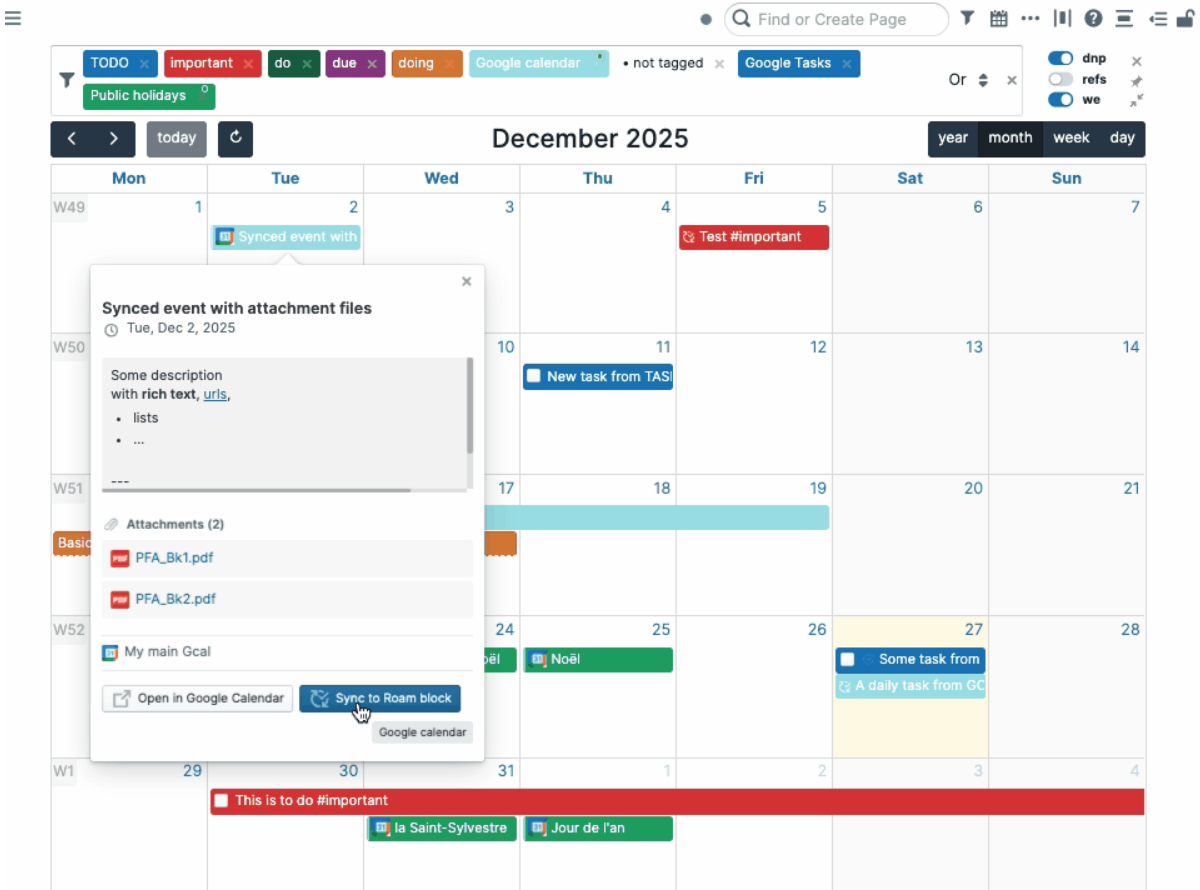
Overview
Full Calendar is a comprehensive calendar extension for Roam Research that enables seamless two-way synchronization with Google Calendar and Google Tasks. Manage your events, tasks, and recurring items directly within your Roam Research workspace while keeping them synchronized with Google Calendar.
Core Features
Calendar Management
- View and navigate events in month, week, or day view
- Create new events with double-click
- Edit, delete, and drag-and-drop events
- Support for multi-day events
- Customizable time formats (12/24-hour)
Two-Way Sync
- Synchronize events between Roam and Google Calendar
- Support for recurring events
- Rich event descriptions and locations
- Attendee information
- Sync status and timing information
Task Management
- Display tasks from Google Tasks
- Create and edit tasks in Roam
- Update task status and completion
- Customizable task filtering
- Tag-based organization
Flexible Configuration
- Define events with keywords (start, end, due, etc.)
- Custom calendar display names
- Tag filtering with color customization
- OR/AND logic for complex filters
- Configurable sync intervals
Google Calendar API
OAuth 2.0 Scopes Requested
The Full Calendar extension requires specific OAuth scopes from Google Calendar API to provide its functionality. These scopes follow the principle of least privilege, requesting only the minimum permissions necessary.
Scope: Full Google Calendar events access
Permissions: Read, create, update, and delete calendar events. Required to synchronize events between Roam Research and Google Calendar, including creating new events, modifying existing ones, and removing events.
Scope: Read-only calendar list access
Permissions: Read your list of calendars. Used to retrieve and display available calendars so you can select which ones to synchronize with Roam Research. This scope is read-only and does not allow modification.
Scope: Full Google Tasks access
Permissions: Read, create, update, and delete tasks. Allows the extension to synchronize your Google Tasks with Roam Research, including creating new tasks, modifying task status, and removing completed tasks.
Authentication & Security
OAuth 2.0 Flow
The extension uses industry-standard OAuth 2.0 authorization code flow with PKCE (Proof Key for Code Exchange) for enhanced security. Your Google account credentials are never shared with the extension.
- Authorization happens through Google's secure servers
- Only access tokens and refresh tokens are used
- Tokens are stored securely in your browser
- Disconnect anytime to revoke access
Data Privacy
Your calendar and task data remains under your control:
- All data stored locally in your browser
- No calendar events transmitted to third parties
- No tracking or analytics of your usage
- See full details in our Privacy Policy
Data Storage
Local Browser Storage
Calendar events, tasks, and all synchronization data are stored locally in your browser using Roam's extension storage API. You have complete control over this data and can clear it anytime through Roam's settings.
Server-Side Storage
Only OAuth refresh tokens are stored on our secure backend server to maintain persistent authentication:
- Tokens are encrypted and secured
- Used only for token refresh operations
- Automatically removed when you disconnect
- Never inspected or logged
Privacy & Compliance
Google API Services Compliance
The Full Calendar extension adheres to Google's API Services User Data Policy, including:
- Requests only minimum necessary scopes
- Does not transfer user data to third parties
- Does not use data for advertising
- Humans cannot access user data without explicit consent
- Full transparency in privacy practices
Full Documentation
For complete details about data handling, privacy practices, and user rights:
Read our Privacy PolicyLatest Version
Version 6, January 2026
Two-way sync with Google Calendar, including support for:
- Recurring events
- Rich event descriptions
- Event locations
- Attendee information
- Event synchronization status
Getting Started
- Install. Add the Full Calendar extension via the Roam Depot plugins store
- Authorize. Connect your Google account using OAuth 2.0
- Configure. Select which calendars and task lists to sync
- Sync. Start synchronizing events between Roam and Google Calendar